Parents don’t browse for a tutor the way they browse for shoes. They search with a problem, at a moment: “math tutor Brampton,” “Grade 10 physics help near me,” typed on a phone the week a report card lands or the night before an exam stops feeling far away. Whoever appears in that moment — in the map pack, in the first few results, in the AI answer — gets the inquiry. Everyone else gets nothing, no matter how good they are at teaching.
The good news: tutoring is hyper-local and intent-rich, and independent tutors and small tutoring businesses can outrank national franchises street by street. This guide is the playbook — local SEO, subject-level service pages, parent reviews, the school-year demand calendar, and how to show up when parents ask AI tools instead of typing a search.
1. How parents actually search for tutors in 2026
Tutoring searches have a structure, and your whole SEO strategy should be built around it: subject + level + place. “Chemistry tutor Mississauga.” “French immersion tutor near me.” “Online math tutor Ontario.” Almost nobody books from a generic “tutoring services” query when a specific one matches their child’s exact situation.
Three implications follow.
First, generic pages miss the real queries. A single “Tutoring” page on your site is trying to be the answer to hundreds of distinct searches at once, and it ends up the best answer to none of them. Section 3 is the fix.
Second, the search happens on a phone, under time pressure. A parent who has just seen a midterm mark is not comparison-shopping across twelve tabs. They scan the map pack, check a rating, read two or three reviews, and tap call or message. Everything on your profile and pages should be built for that thirty-second decision.
Third, trust is the conversion factor. This is a stranger who will be alone with their child. Ratings, specific reviews, a real photo, clear subjects and grades, a clear process — these aren’t decorations. They are the product, as far as the searcher is concerned. SEO gets you into the moment; trust closes it.
2. Google Business Profile: your storefront, even without one
Most tutors teach from home, from a library, from a rented room or entirely online — and Google Business Profile handles that with a service-area setup: verify with your address, hide it from the public profile, and list the areas you serve instead. No storefront required, and your home address stays private.
Set the profile up like the storefront it is:
- Category: choose the closest primary category for what you actually are — “Tutoring service” fits most tutoring businesses — and add secondary categories only for lines you genuinely offer. Categories are a core ranking input; this is not the place for creativity.
- Services list: add every subject and level as its own service — Grade 9–10 Math, IB Chemistry, French Immersion, EQAO Prep, University Statistics. Services surface in your profile and match you to subject-level searches.
- Service area: list every city and neighbourhood you actually cover. If you tutor online, anchor the area to your real market rather than claiming the whole country — local relevance beats theoretical reach in the results that convert.
- Photos: real ones. You teaching (with permission), your teaching space, your materials. Parents are vetting a person, and a profile with only a logo and stock photos of smiling strangers works against you.
- Q&A: seed the questions parents always ask — your rates, online versus in-person, which grades, how scheduling and cancellations work — and answer them on the profile yourself, in plain language.
- Posts: use them for the school-year moments — fall registration, exam-prep intensives, a new subject you’ve added. (Our Google Business Profile posts guide covers cadence and format in depth.)
3. Service pages: one page per subject, level and city
This is the highest-leverage move in tutor SEO, because it mirrors how parents search. If you teach math in Brampton, the page that wins “math tutor Brampton” is a page about math tutoring in Brampton — not your homepage, not a combined subjects page.
Build order matters. Don’t try to launch forty pages at once; thin, near-identical pages help no one. Start with your three to five strongest subjects in your main city — /math-tutor-brampton/, /science-tutor-brampton/, /english-tutor-brampton/ — write each one properly, then expand by level and by city as each tier proves itself. Split by level when the buyers genuinely differ: the parent of a Grade 9 student and the parent of a Grade 12 Advanced Functions student search and buy differently.
Each page needs the same anatomy:
- Who it’s for, in the parent’s language: grade, stream and curriculum. In Ontario that means naming the real things — EQAO assessments in Grades 3, 6 and 9, the OSSLT literacy test, and actual course codes like MPM2D (Grade 10 academic math) or SCH4U (Grade 12 chemistry). Parents search with these terms, and using them accurately tells a parent instantly that you teach this curriculum, not tutoring in the abstract.
- What sessions actually look like: format (online, in-person, hybrid), session length, how you assess where a student is starting, how parents hear about progress.
- Your credibility for this subject specifically: qualifications, years teaching it, school boards you’re familiar with.
- Reviews for this subject (see section 4) — not your generic testimonial pool.
- A short FAQ answering that subject’s real questions: “Do you follow the Ontario curriculum?” “Can you help with exam prep only?” “Do you offer a trial session?”
- One clear call to action: book a free assessment or a first call. That’s the standard tutoring funnel — honour it on every page.
Connect the pages with a hub — a “Tutoring in Brampton” page that links down to each subject, with subjects cross-linking to adjacent levels (Grade 10 math → Grade 11 functions). That structure helps Google understand the set, and helps a parent with two kids find both pages in one visit.
4. Parent reviews: your closing argument
For tutors, reviews aren’t a ranking garnish — they’re the closing argument, because the buyer is choosing a person to trust with their child. A profile with a steady flow of specific parent reviews will out-convert a higher-ranked competitor with twelve generic five-stars from three years ago.
Specific beats glowing. Ask parents to mention the subject, the grade, and what changed in how their child works — confidence, organization, homework actually getting done, how you communicated. That specificity persuades the next parent and helps search engines match you to subject-level queries. Never script results or promise outcomes in a review request.
Ask at the win moment. The right time is when the parent is already happy: a good report card, a test that went well, end of term. Send the direct review link — one tap. Then respond to every review, personally and briefly.
Two privacy rules. Never use a child’s full name in your review responses — first names only, and only if the parent used it first. And take any negative review offline fast and calmly: your composed, professional reply is read by every future parent who finds it, and it often does more for your credibility than the five-stars do.
Cadence over bursts. A couple of new reviews a term keeps the profile current. Twenty in one week followed by a year of silence looks orchestrated, because it usually is.
5. Seasonal demand: tutor SEO runs on the school calendar
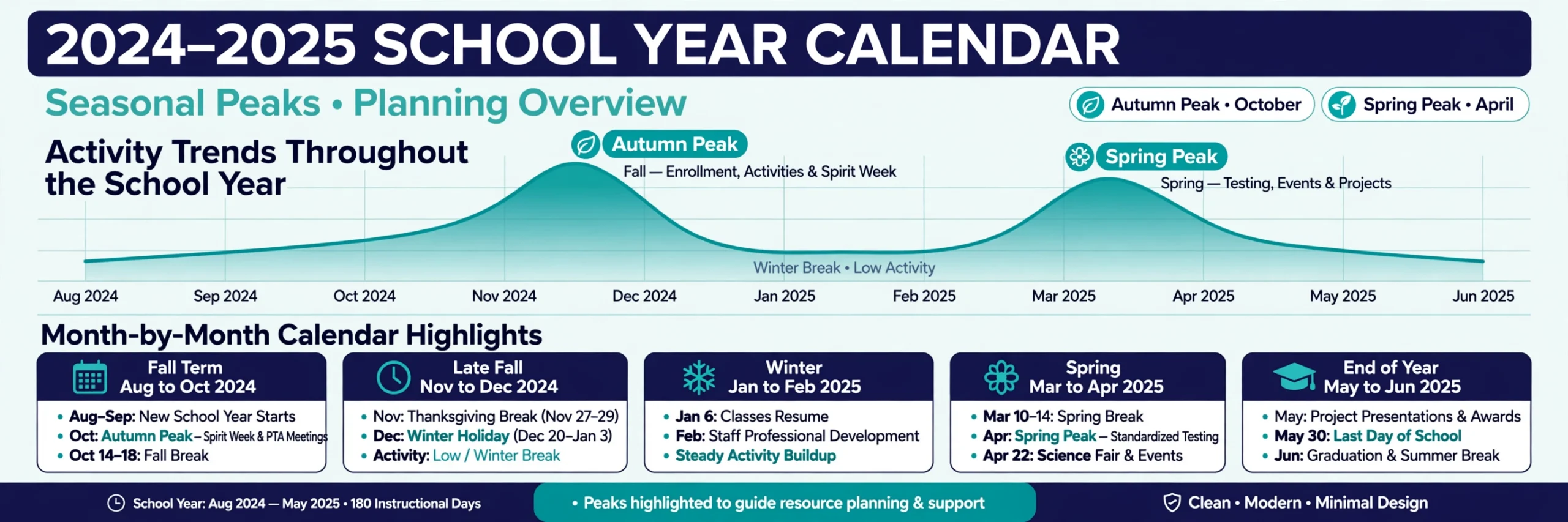
Tutoring demand isn’t flat — it spikes on a calendar you can set your watch by, and pages need to be live before each spike, because Google needs weeks to rank new content. Work backwards from these turns:
- Back-to-school (searches build from mid-August): the year’s biggest intake window. Fall registration posts, refreshed service pages and “start the year strong” content should all be live by early August — not launched in September when the searches have already happened.
- Report-card and exam turns: in Ontario, semesters end in late January and late June, and mid-semester report cards (typically November and April) trigger their own wave of “we need help now” searches. Exam-prep pages and posts should be live by early December and early May respectively.
- Summer: enrichment, preview-of-next-grade courses and summer credit programs. Parents plan these in June, while school is still in — publish in May.
Build a one-page annual calendar: publish or refresh two months ahead of each spike, refresh your GBP posts at each turn of the school year, and keep the evergreen subject pages updated with the new year’s dates each summer. The tutors who win September are the ones who did the work in July.
6. AI search: being the tutor the AI names
A growing share of parents skip the search box and ask an AI tool instead: “Who’s a good Grade 11 chemistry tutor in Brampton?” AI Overviews, ChatGPT and similar tools assemble their answers from your website, your Google Business Profile, your reviews and your directory listings — the same assets as classic SEO, read differently. To be the name that surfaces:
- Keep the facts identical everywhere. Subjects, grades, service area, contact details — if your site, profile and listings disagree, AI tools get cautious, and cautious means recommending someone else.
- Write specific, quotable copy. Vague claims (“we help students succeed!”) give an AI nothing to work with. Clear factual sentences — the subjects you teach, the grades, the curriculum, the format, the areas you serve — are what get cited.
- Keep FAQ sections on your service pages. Real parent questions answered in plain sentences are exactly the material AI answers are built from, and with FAQ schema they can also earn expandable results in classic search.
- Add LocalBusiness structured data to your site with your services and area served, so machines don’t have to guess.
- Keep reviews flowing. Review text and sentiment are part of what AI tools read when they recommend a local tutor; a current, specific review profile does double duty.
7. The basics that quietly cost you students
- A mobile booking path with no friction: click-to-call, and an inquiry form with two or three fields, max. Every extra field loses parents filling it in on a phone at 9 p.m.
- One clear call to action per page. “Book a free assessment” — repeated, obvious, unmissable. A page with five competing asks converts worse than a page with one.
- Speed and clarity over design flourishes. Parents in a worried moment want subjects, grades, price guidance and a booking button. A beautiful page that hides those loses to a plainer page that doesn’t.
- Actually look at your data. Search Console shows which subject and city searches already bring you impressions; the GBP Performance tab shows calls and requests. When a subject you barely marketed starts surfacing, that’s your signal for the next service page.
Frequently Asked Questions (FAQ)
How long does SEO take for a tutoring business?
Expect local movement in about 2–4 months for GBP optimization and review flow, with service pages compounding over 6–12 months. Timing matters as much as effort: pages published 6–8 weeks before a demand spike (back-to-school, exams) catch the wave; pages published during it mostly catch the next one.
Does every tutor need a separate page for each subject?
Start with your three to five strongest subjects in your main city, each written as a genuinely distinct page — who it’s for, curriculum, format, subject-specific reviews, FAQ. Expand by grade level and city from there. One strong page per real search beats forty thin pages spun from a template.
Can I rank on Google if I tutor from home or online?
Yes. A service-area Google Business Profile hides your home address and lists the areas you serve instead, and location-focused service pages do the rest. Anchor your service area to your real market — claiming everywhere dilutes the local relevance that wins the searches which convert.
Are reviews really that important for tutors?
They’re the trust signal parents act on. A steady flow of specific reviews — subject, grade, what changed in how the student works, how you communicated — out-converts a larger pile of generic five-stars, and the review text itself helps match you to subject-level searches in both Google and AI answers.
How do I show up when parents ask AI tools for a tutor?
Give the tools clean material: business details that agree across your site, GBP and listings; specific service pages with quotable facts about subjects, grades and curriculum; FAQ sections in plain sentences; LocalBusiness structured data; and a current flow of detailed parent reviews.

SEOelinks is a Brampton-based SEO agency helping service businesses across Canada and worldwide win organic search. Our strategists publish the same field-tested playbooks on technical SEO, local visibility and AI search that we run for clients every day.
More about SEOelinks →